
Chatbot Analytics and ROI Tracking
Analytic overview that allows you to better control your bot and effectively train it to work on your terms.
Highbot Analytics shows you how users talk to the bot, what they are looking for, where they 'drop off', and which answers really help. Thanks to this, you can improve content faster, increase bot effectiveness, and better understand customer needs.
Key metrics to start
Total conversations
Volume of interactions.
Unique users
How many people actually used the bot.
Activity over time
When the bot works most intensively.
Length distribution
How many conversations end after 1-2 messages vs longer dialogues.
And you know if the bot just 'greets' customers or actually leads the user to an answer / product / contact.
Activity Timeline
Weekly Activity
The chart shows conversation distribution across the week. You can see which days are busiest and plan your support resources accordingly.
Conversations by time of day
You will see when users ask most often (e.g., morning / noon / afternoon / evening / night).
This facilitates planning support, content publication, and consultant hours (if bot passes matters to a human).
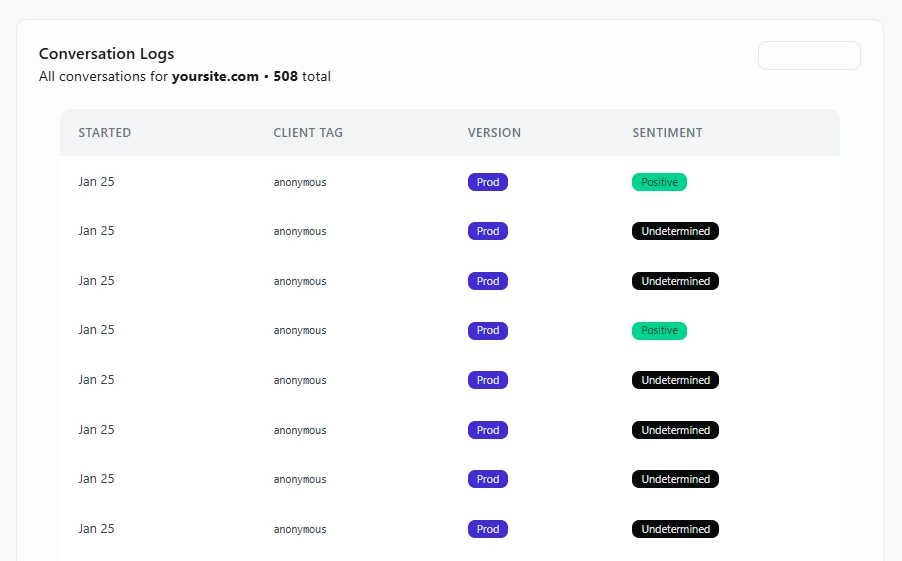
Conversation History
All conversations — content and basic data
You have access to the full conversation history, along with basic info, e.g.:
- Start date and time
- Number of messages in conversation
- Topics / Intents (if configured)
- Conversation content (readable preview)
Why is this important? Because you don't analyze 'dry numbers' — you see real questions and real user problems.
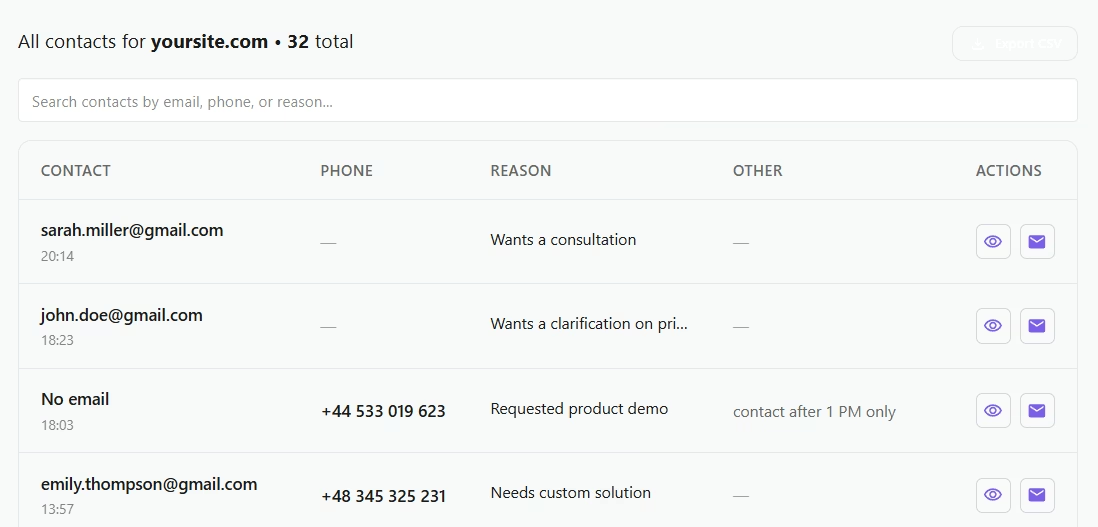
Customer Contacts
If a user leaves data during a conversation, the panel will save it in the section: Customer Contacts
- name / email / phone (if provided)
- conversation context (what problem the user came with)
- contact history (easier sales or support follow-up)
This turns chat into real leads, not just a 'question box'.
How you will use analytics in practice
Improve site content
See what people ask about most frequently.
Increase bot effectiveness
Know where conversations drop off after 1-2 messages.
Limit repetitive support questions
Catch top topics and pin the best answers.
Build better sales paths
Conversations show intent and the decision stage.
Your chatbot is waiting
 Free 10-day trial
No credit card required
Use on your site
Free 10-day trial
No credit card required
Use on your site